
Inspect public media before downloading.
Paste one public media URL to inspect available video formats and audio options.

Download with VideTool for Windows
Browsers cannot directly download the complete media resource. Continue in the Windows client.
- Quality selection up to the source maximum
- Video, audio, and cover downloads
- Batch tasks and retry management
- Files stay in your chosen local folder
Log in to analyze online
Sign in to inspect public video resources on the website.
Log in / Sign upContinue to the account centerContinue with the VideTool desktop client
The free Windows client provides a more reliable way to parse and download public media, while keeping files on your computer.
- More stable parsing for busy periods
- Choose quality, format, and output folder
- Batch downloads and local media processing
Download more. Convert freely.
VideTool is a free Windows desktop toolkit for public media downloads, format conversion, audio extraction, and everyday file organization.
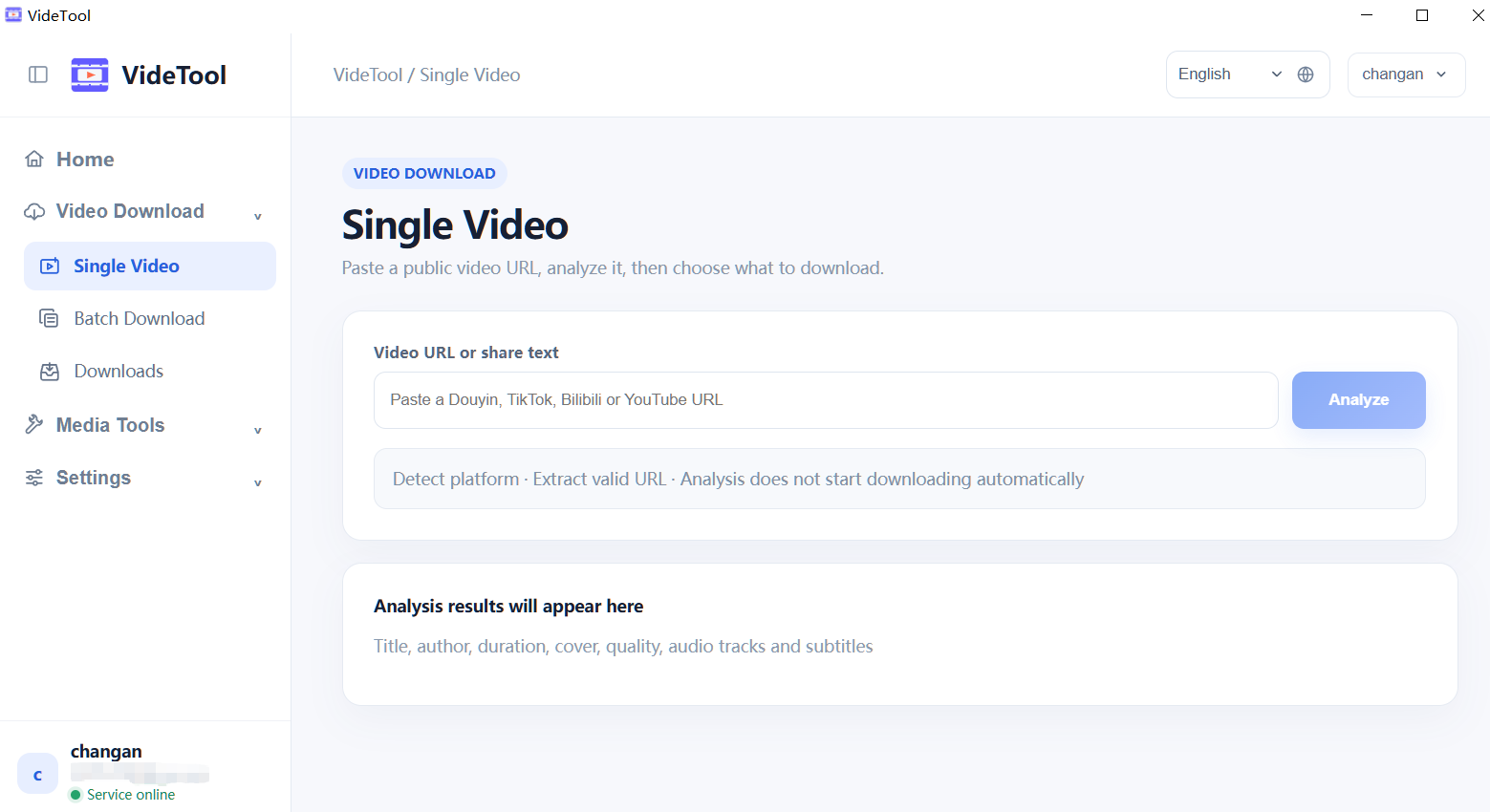
A focused toolkit for everyday media work.
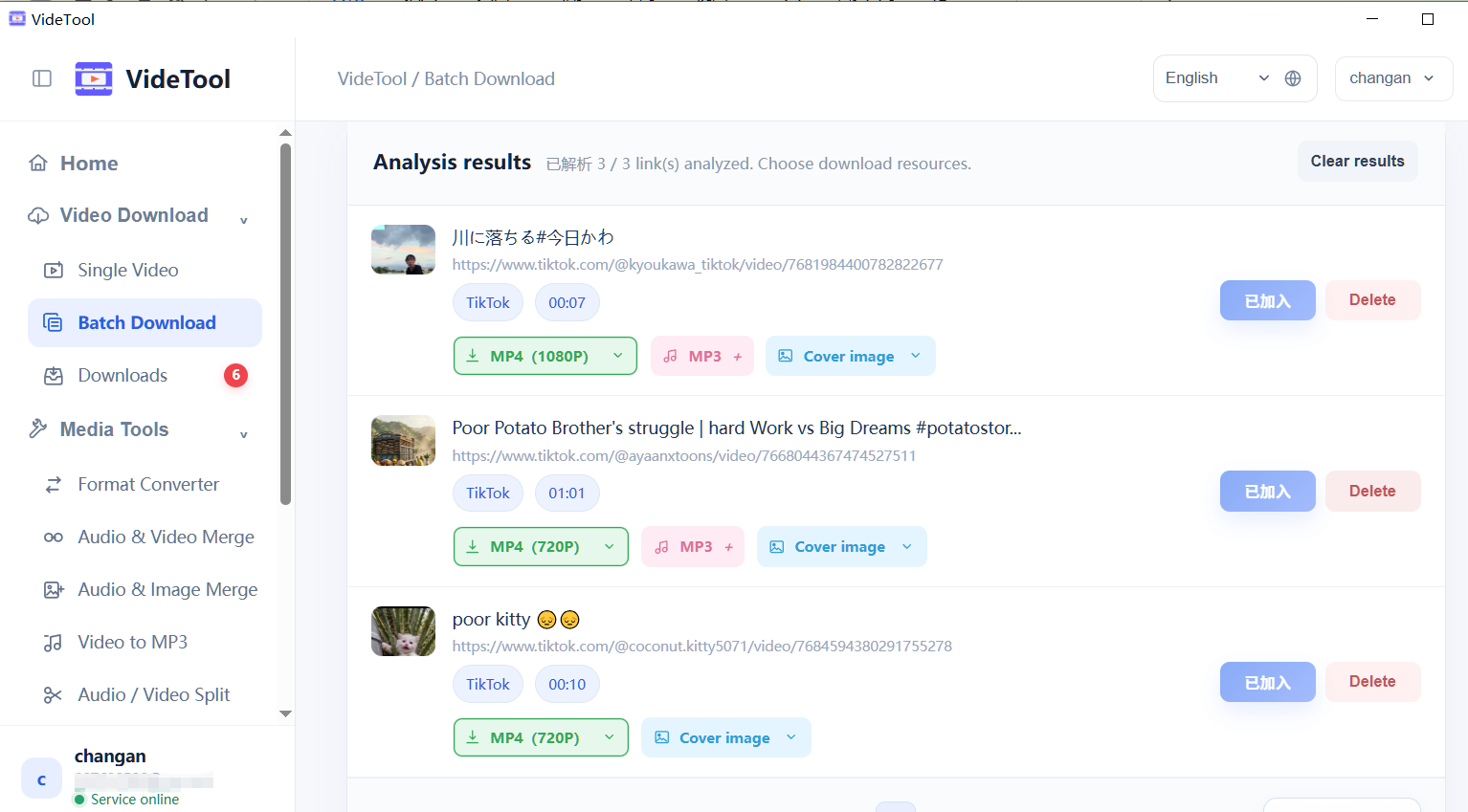
Queue downloads, then finish the file.
Choose a quality, monitor progress, retry a temporary failure, and send the result to the conversion tools without leaving the app.
How does a link become a finished file?
Three clear steps take you from a public source to a local download or converted file.
- 1
Copy the media link
Open a public video or article, choose Share → Copy link, and keep the source URL ready.
Works with supported public pages - 2
Paste and analyze
Paste the URL into VideTool. The app detects the platform and lists available quality, audio, and cover options.
Review options before downloading - 3
Download or convert
Start the task, follow progress in the queue, then convert, extract MP3, or open the output folder.
Everything stays in your local workflow
A complete media toolkit for the work after download.
VideTool brings quality control, conversion, organization, and privacy into one focused desktop workspace.